 WORLDGATE
Augenblick!
The photo library that leaves your photos alone. Your folders stay as they are – and what you know about a picture is written into the picture itself.
The name: Augenblick is German for “moment” – literally the “blink of an eye” (Auge eye, Blick glance). With an exclamation mark it also means “just a moment!”.
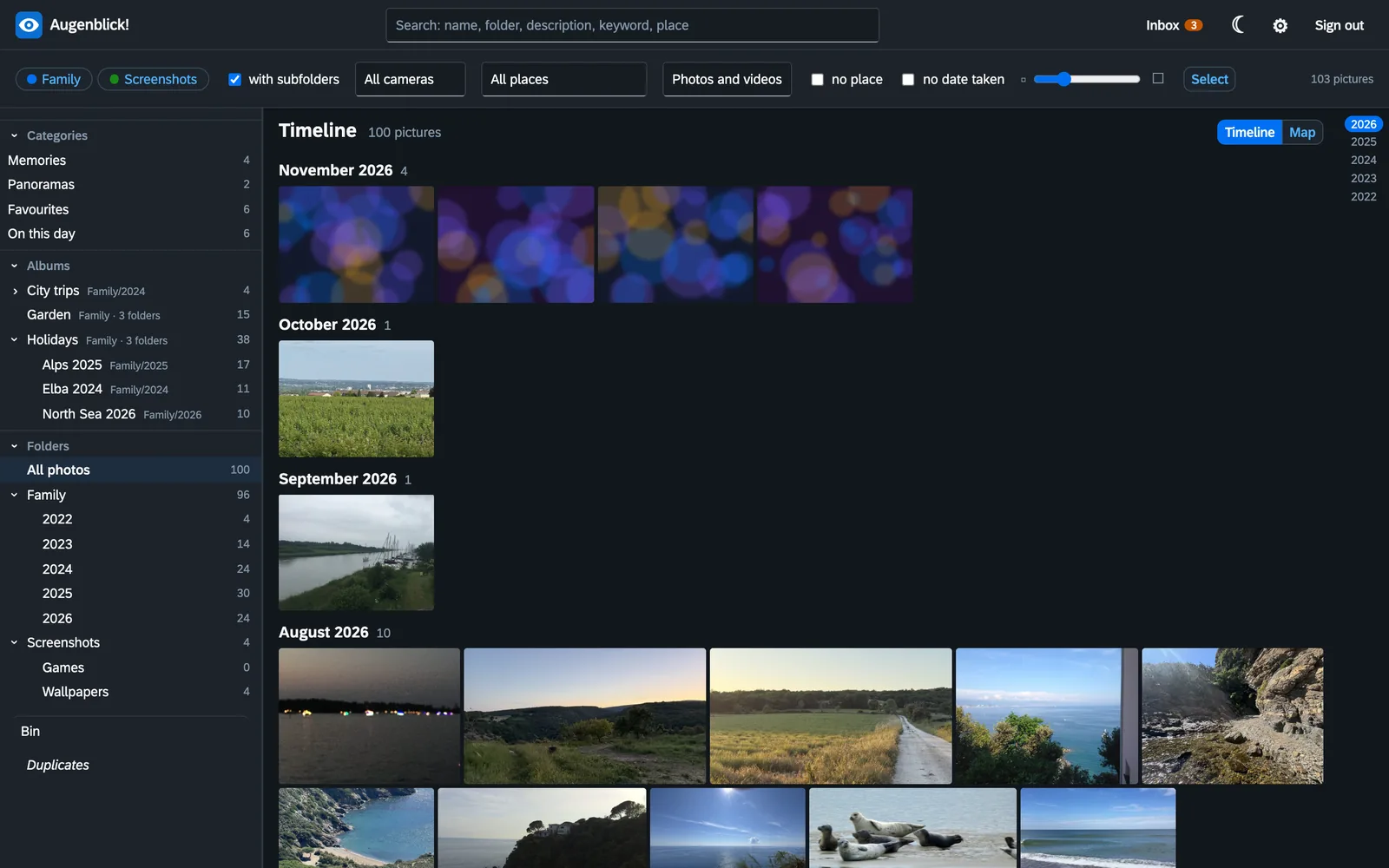
Why Augenblick!
Your folders are the truth
Augenblick! copies nothing into a store of its own. It shows the folders you already have and leaves them where they are. Without the programme everything stays as readable as before.
What you know lives in the picture
Date, place, description, keywords, albums and the names of people are written into the image file – in the fields other programmes read as well. None of it depends on a database.
Everything can be taken back
Every change is checked first and written second, and the journal keeps the old state. Deleting means the bin. A slip is no disaster.
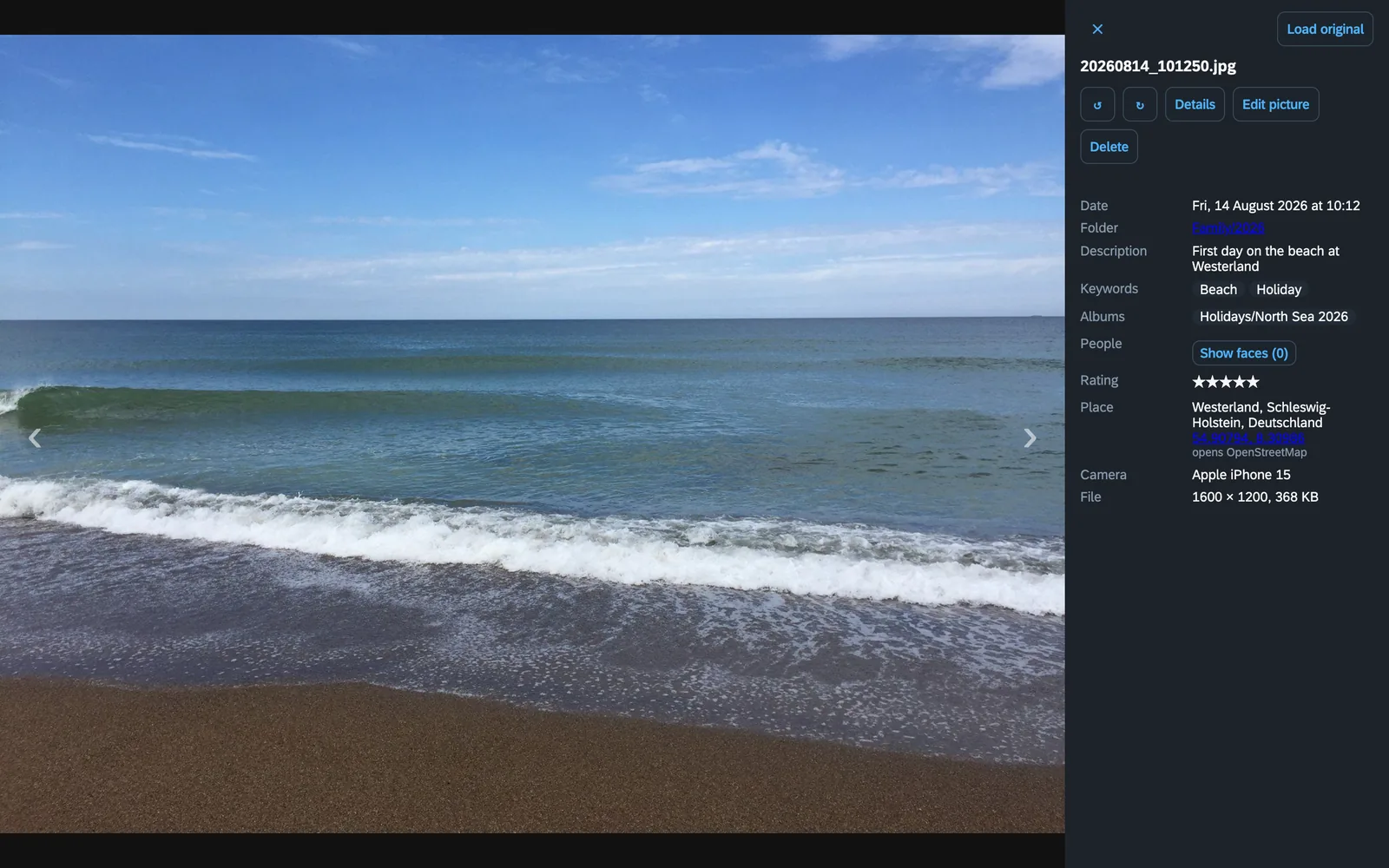
A picture and what is known about it
Date, folder, description, keywords, albums, rating, camera – and the place by name: coordinates become “Westerland, Schleswig-Holstein, Deutschland”, with no internet involved (place names come in German in the standard image).
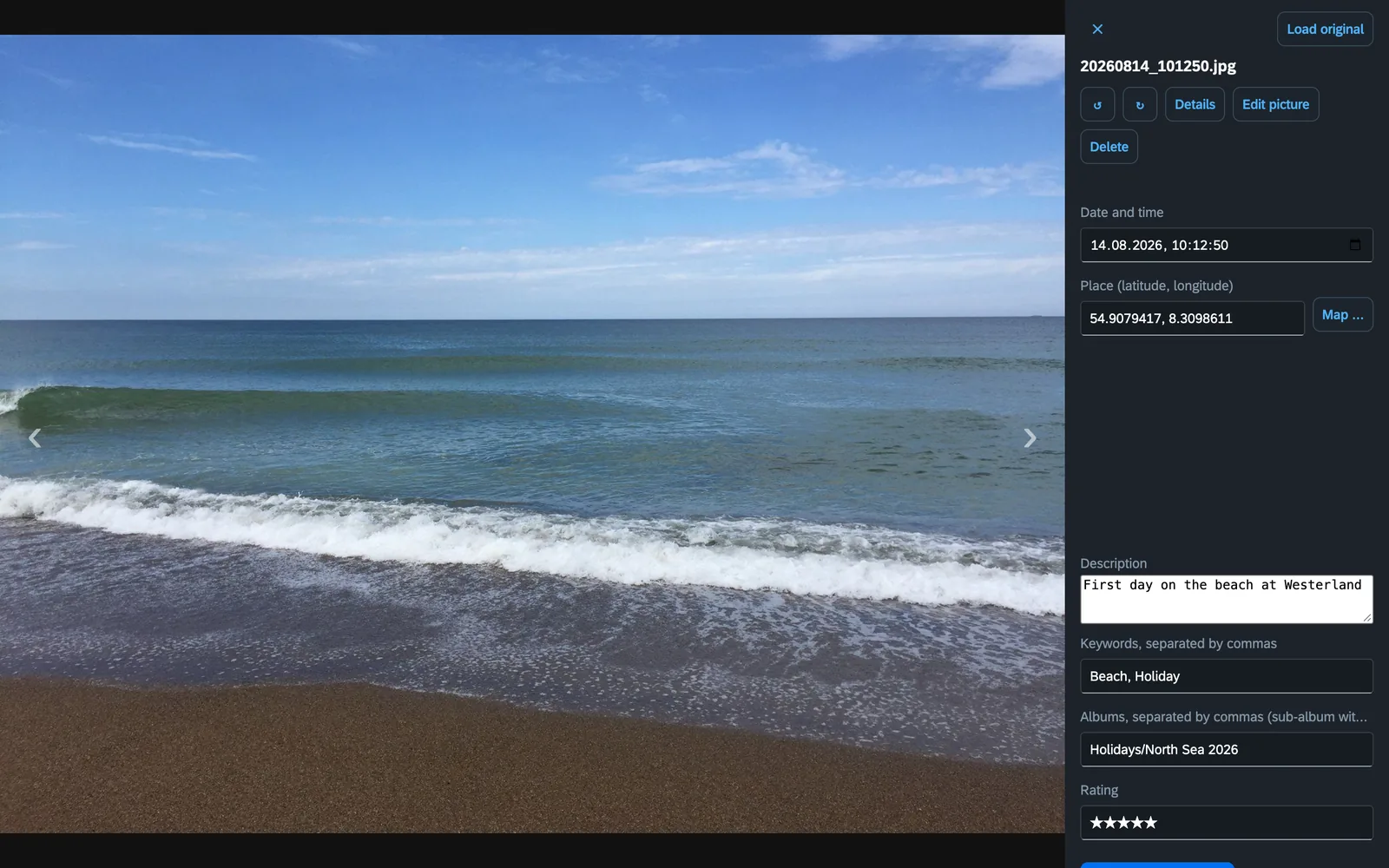
Change date and place without detours
Click “Details”, change what is wrong, write it into the picture. The place is picked on a map. That works for a hundred pictures at once too – when the camera clock was off, say.
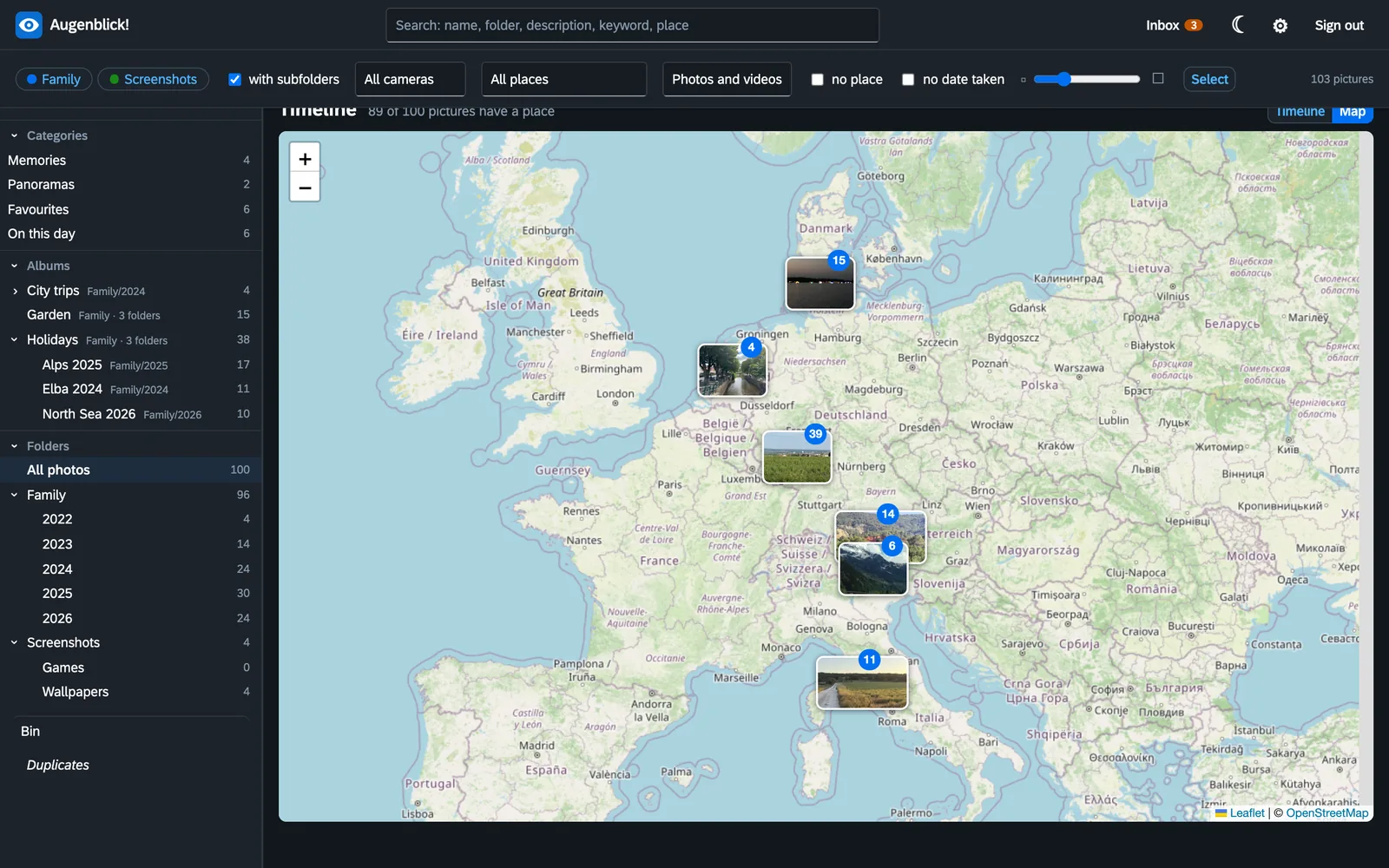
The map
Every picture that knows its place, on one map. What lies close together is bundled; a click zooms in.
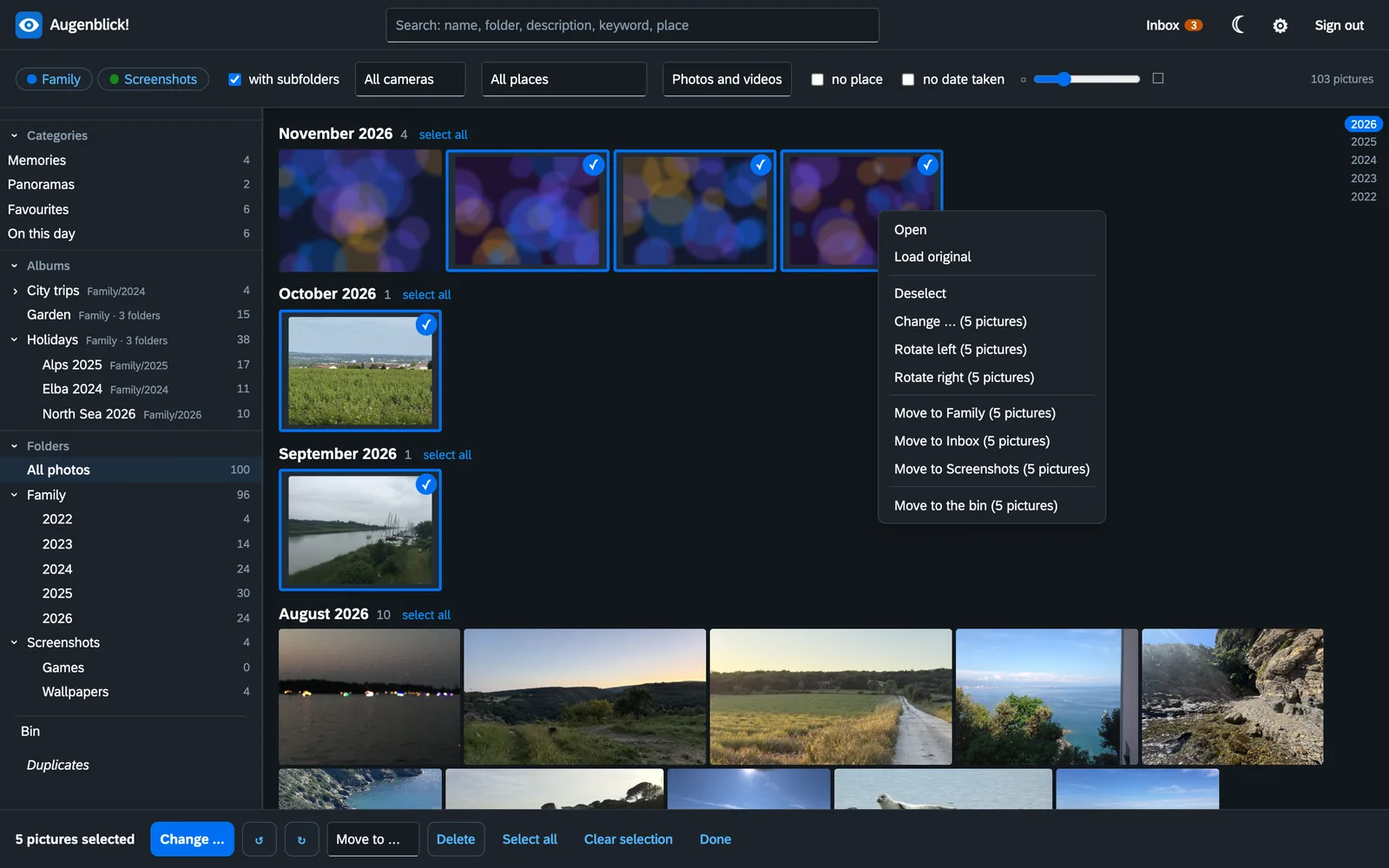
Many pictures at once
Select, then change, turn, move or delete. The right mouse button offers what is possible at that spot, everywhere.
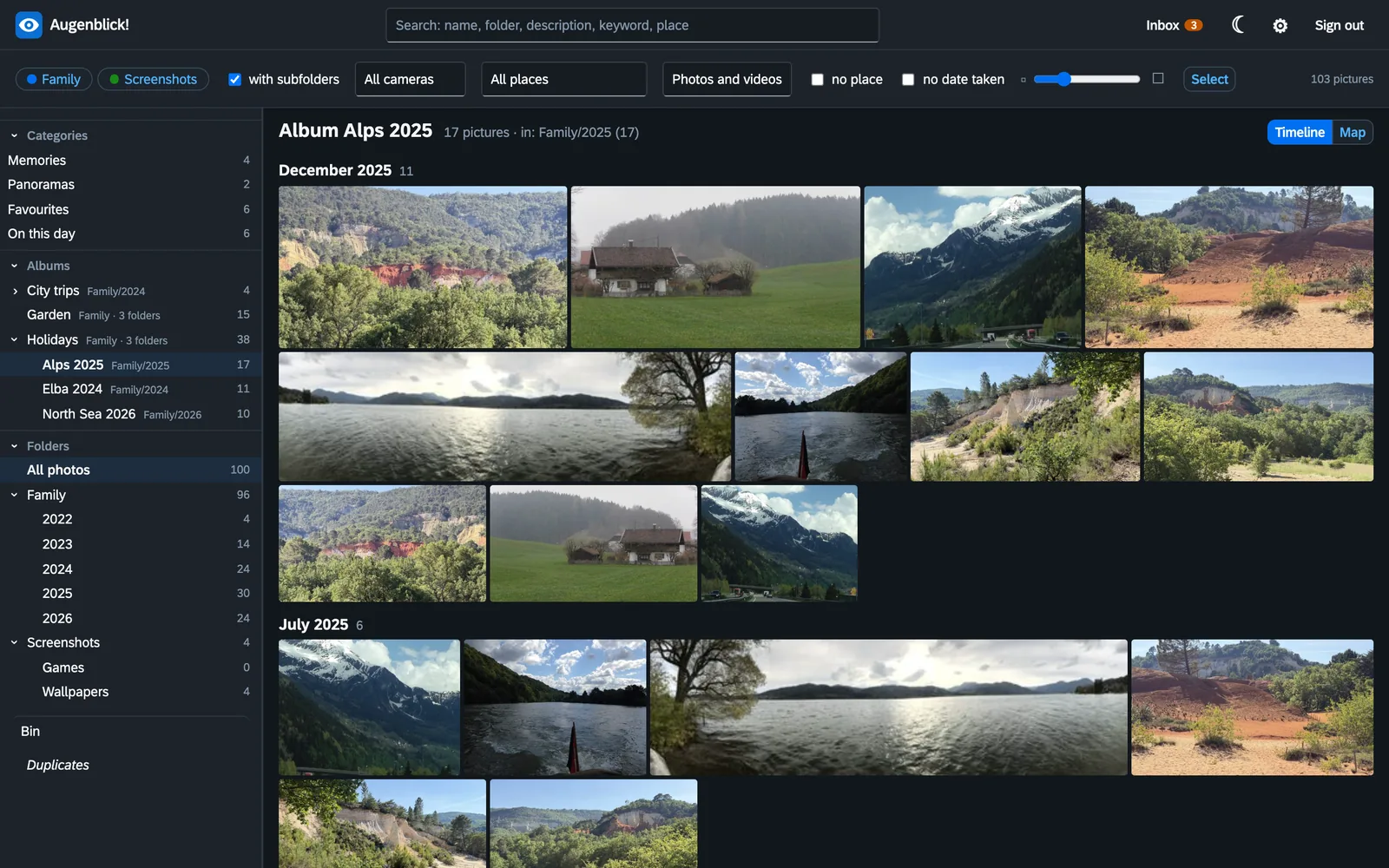
Albums that do not get lost
An album is a mark in the picture, not a folder. A picture can be in several albums and still lie on the disk once. The album tells you where its pictures lie.
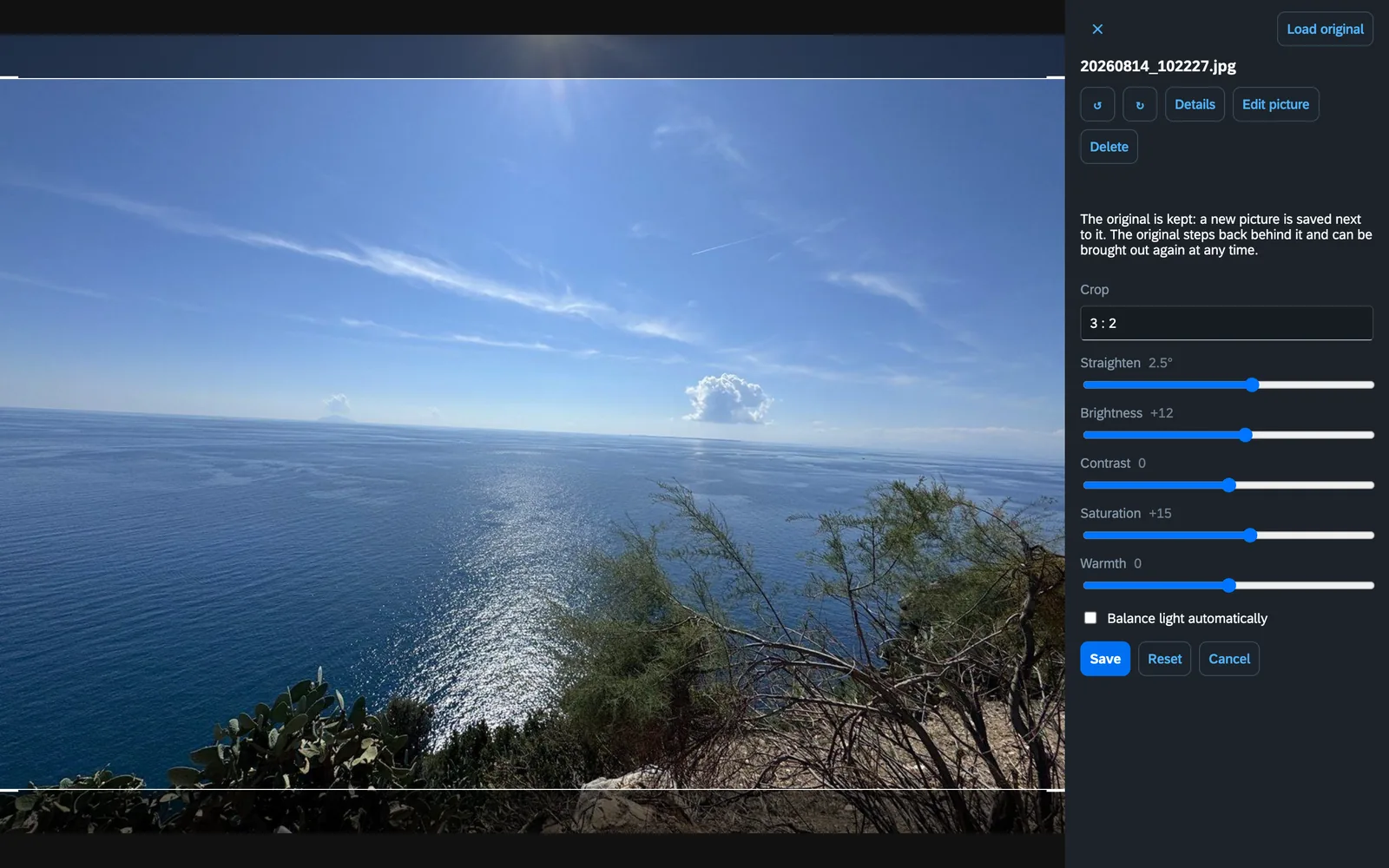
Crop, straighten, light and colours
A crooked horizon, too dark, too much around the edges: a few sliders, and the result lies beside the original as a new picture. The original stays untouched behind it and can be brought back at any time.
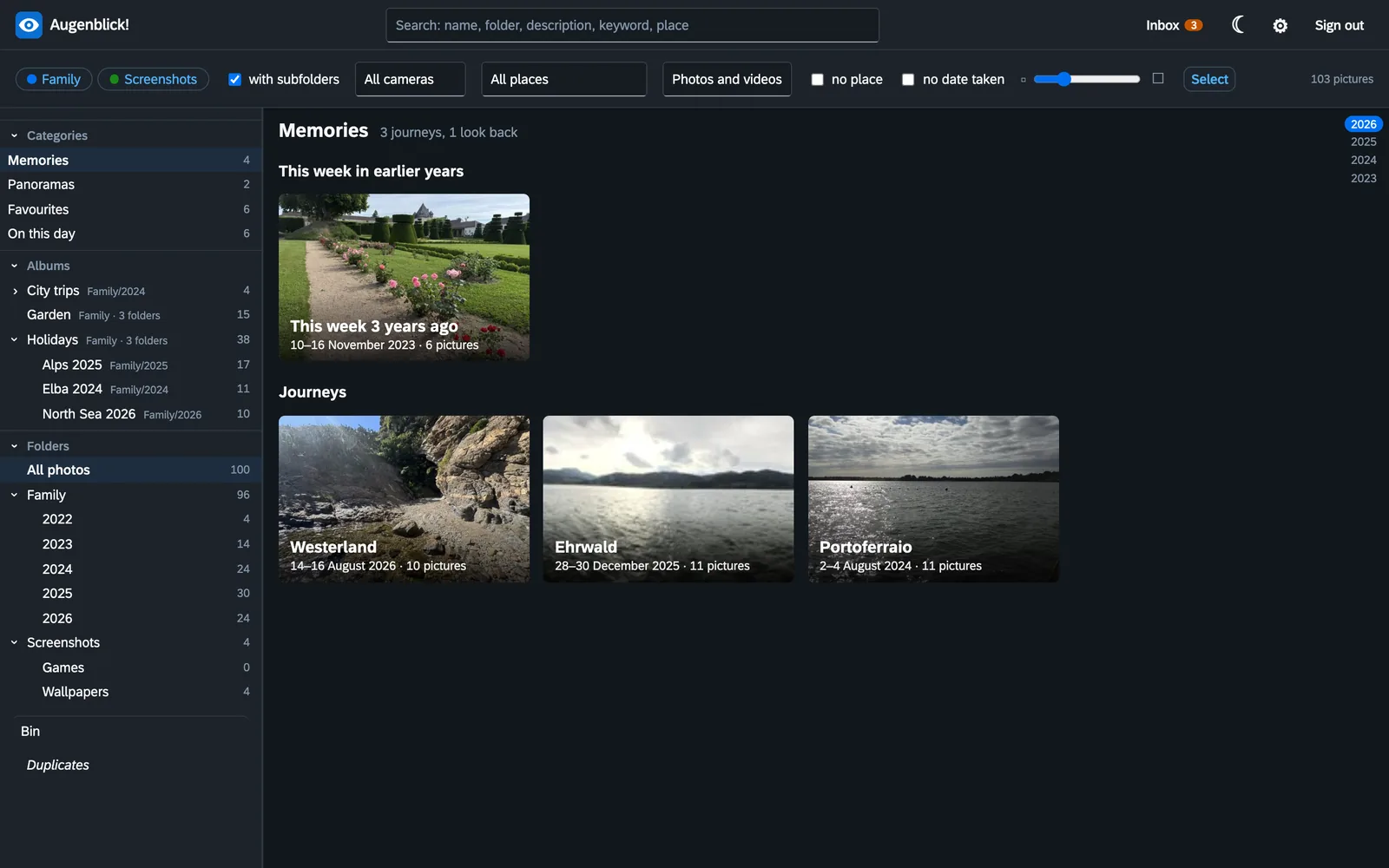
Memories that find themselves
From date and place Augenblick! recognises journeys and shows what happened this week in earlier years – with a handful of pictures that stand for the whole. Nothing is stored for it and nothing is written into your pictures.
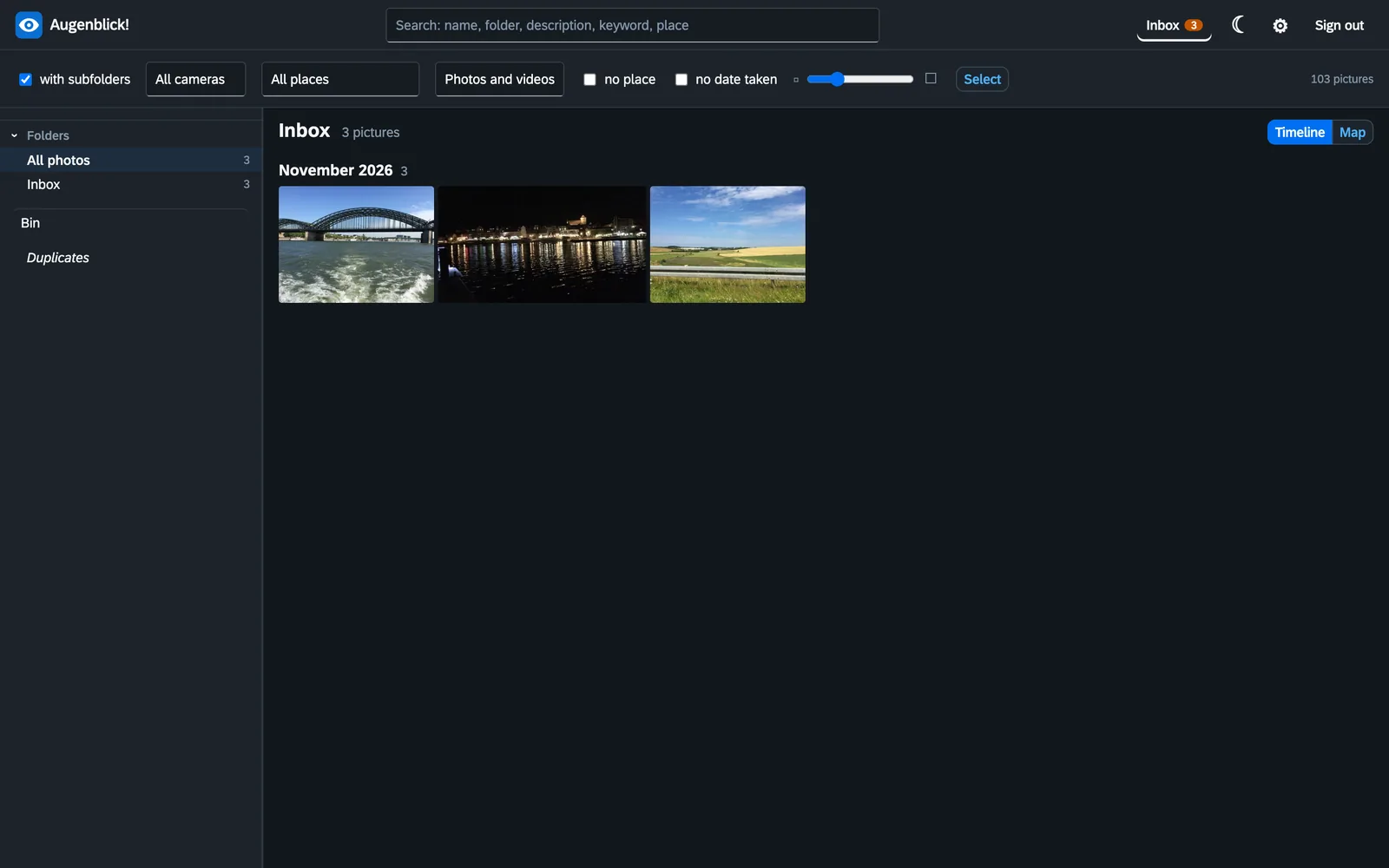
An inbox for new photos
What the phone uploads waits in the inbox, not in the middle of the timeline. You look through it, throw away what is nothing and move the rest into the library – a rule puts it straight into the right folder for the year.
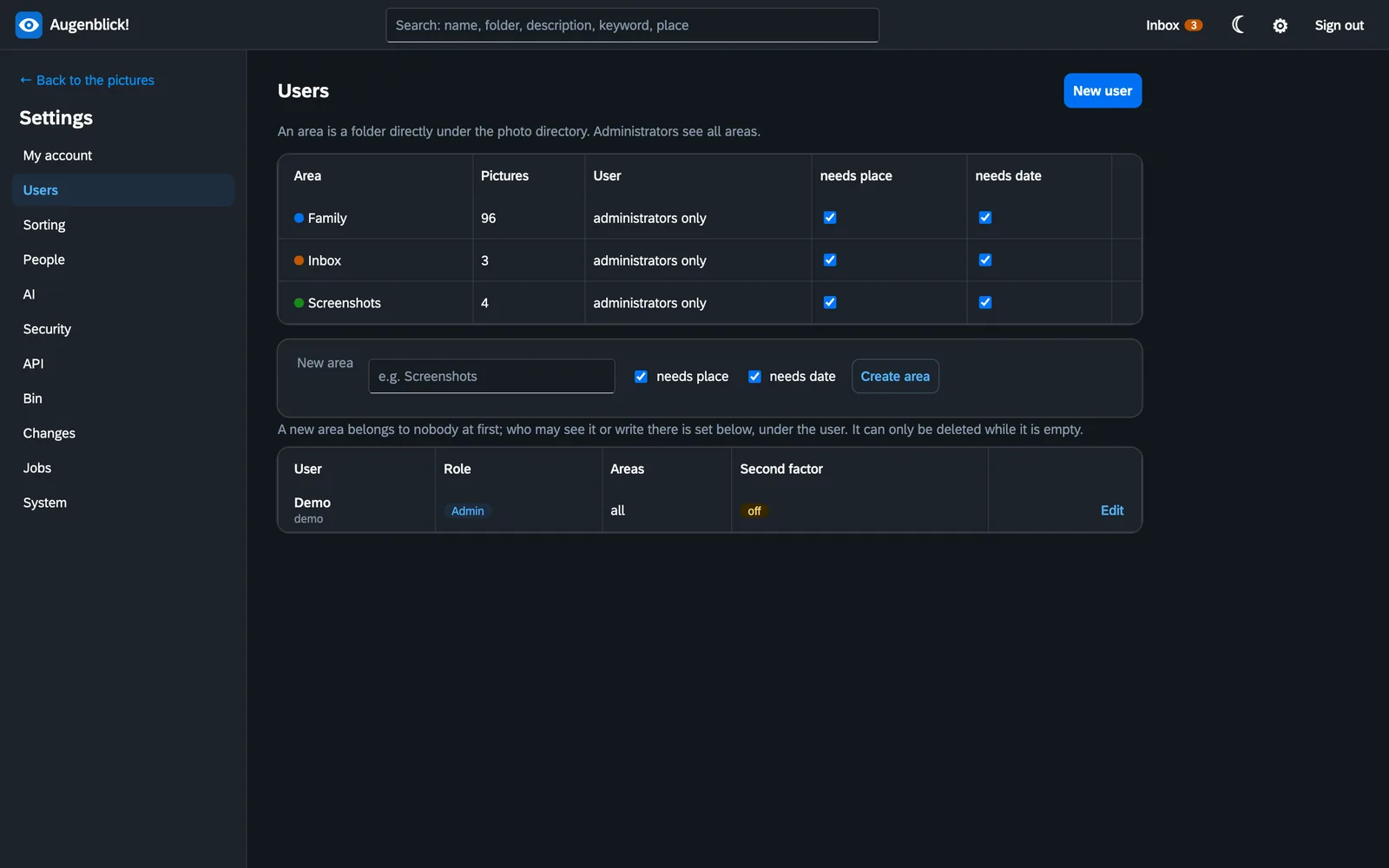
Areas and rights
Every top-level folder is an area: family, inbox, screenshots. Who may see and change what is set per person and area.
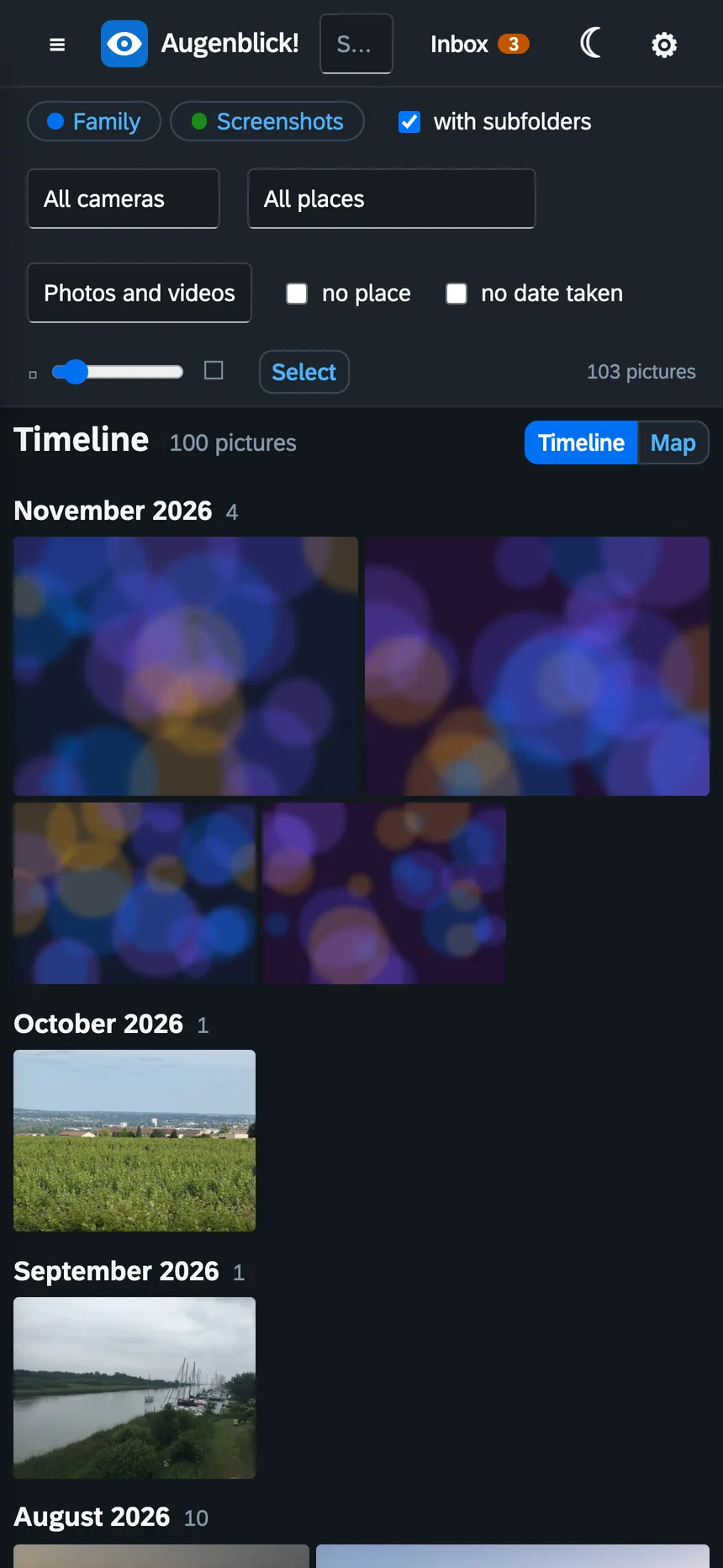
On the phone
Augenblick! runs in the browser, on the phone too. New photos are sent by a backup app such as PhotoSync through a narrow door of its own into the inbox: the app can only put files there – it cannot read, change or delete anything. Every phone gets a key of its own.
And also
- Find and name faces, all on your own machine
- Find duplicates, also the same picture in another size
- Lossless rotation of JPEG and HEIC pictures
- Films, Live Photos and raw files from the phone
- Categories that fill themselves: videos, panoramas, favourites, on this day
- Sorting by rules: folders per year, file names from the date
- A bin with a period you set
- Second factor for signing in
- AI suggestions for description and keywords, if you want – it never writes by itself
- Four languages, chosen per account
Installing
Augenblick! runs as a Docker container, for example on a NAS, a Raspberry Pi or a home server. It needs two folders: the one with your photos and one for its own data.
Then open http://server:8450 and create the first administrator. Every step is in the manual.
services:
  augenblick:
    image: ghcr.io/orohde/augenblick:latest
    restart: unless-stopped
    ports:
      - "8450:8000"
    volumes:
      - ./fotos:/fotos            # your photo folders
      - ./data:/data              # index, previews, accounts
    environment:
      - TZ=Europe/Berlin
- AUGENBLICK_READONLY=false # only with this may Augenblick! write into the photosAugenblick! is free software under the AGPL-3.0. No paid edition, no cloud, your photos stay with you.